

The Sider AI app is an AI productivity platform that combines multiple AI models, browser assistance, writing tools, file analysis, image generation, video creation, translation, and agent-style automation in one service.
Unlike an AI application tied to a single model, this application gives users access to models and tools from several AI providers through the same interface.
Sider started with a strong browser extension. But it has launched dedicated Windows and macOS applications. It also offers mobile apps and web-based tools.
The official Windows page describes Sider as a desktop AI assistant with multi-model chat, browser-agent features, file analysis, writing assistance, image generation, video creation, and translation.
That makes Sider interesting for Windows users who would otherwise switch between several AI websites and browser extensions. The trade-off is that this app is a cloud-based service built around third-party AI models.
Also, it has its own credit system, so users should consider pricing, privacy, and usage limits before making it part of a professional workflow.
What is Sider AI?
Sider is an AI assistant and productivity platform developed by Vidline Inc. It brings several AI models into a unified interface. It also adds tools designed around browsing, reading, writing, research, image creation, video generation, translation, and automation.
The original Sider experience became particularly known as an AI browser sidebar. The current official site describes it as an AI agent for the browser, while also promoting dedicated Windows, Mac, iOS, and Android applications.
The Sider AI app for Windows extends that concept beyond a browser. Its Windows application includes multi-model chat, AI Group Chat, prompt libraries, real-time web access, file analysis, image tools, video generation, translation, and newer agent-style capabilities such as Sider Claw and Sider Code.
It is therefore best thought of as an AI workspace rather than a single chatbot.
Sider.ai Key Features
1. Multi-model AI chat
One of the main Sider AI app features is access to several AI models through one interface. Sider’s current product pages advertise support for models from providers including OpenAI, Anthropic, Google, DeepSeek, Grok, and others.
This can be useful when different models produce noticeably different results. Instead of opening several websites, users can compare responses within Sider.
2. AI Group Chat
It can send a question to multiple AI assistants and let users compare their responses. This is especially useful for brainstorming or checking how different models approach the same problem.
For beginners, it provides a simple way to experiment with different AI systems without maintaining separate workflows.
3. Sider Chat
The Chat feature can summarize webpages, explain content, translate material, and answer questions about pages and files. The official Windows page also lists real-time web access as part of its multi-model chat experience.
4. Sider Claw
Claw is Sider’s browser automation agent. According to the Windows product page, it can perform cross-site research, extract information, transform content, generate files, and handle batch operations using natural-language instructions.
This is a major step beyond conventional AI chat because the goal is for the system to perform a sequence of browser actions rather than explain how a user could do them.
5. Sider Code
Sider Code is designed to modify webpages using natural-language instructions. Users can change a site’s layout, content, or behavior and save customizations so they are automatically applied on future visits.
For web developers and advanced users, this is one of the more interesting parts of the platform because it turns AI instructions into persistent webpage customization.
6. File and PDF analysis
The Windows application can work with more than 20 file formats according to Sider’s current Windows page.
It specifically highlights image chat, PDF analysis, translation, summarization, and file-based conversations.
This makes this app useful for students reviewing documents and professionals working with reports, presentations, spreadsheets, and other files.
7. AI writing
It provides tools for drafting emails, blog posts, essays, marketing content, social posts, rewriting, and adjusting tone, length, and complexity.
The main benefit is that users can move from research to drafting without changing applications.
8. Image generation and editing
The application includes text-to-image generation and image-editing tools. The Windows product page specifically mentions background removal and text removal, while the broader pricing page lists AI image generation and editing among its tools.
9. Video creation
The Sider Windows app also promotes AI video creation. Users can generate videos from text or images and adjust options such as aspect ratio, resolution, duration, and style. Also, users can use reference images to guide generation.
10. Translation
Sider app for pc can translate text and PDFs into more than 50 languages. According to its Windows product page, users can also adjust translation style and tone.
11. Prompt Library
The Windows app includes a prompt library for saving reusable prompts. A slash shortcut can be used to bring up saved prompts quickly.
For people repeatedly performing the same writing or research task, this can reduce repetitive prompting.
User Interface & Experience
The Sider AI app for Windows is designed around accessibility rather than technical complexity. The interface sets AI chat and tools in one place.
The browser extension adds a sidebar that can be opened while viewing webpages. The Windows application is broader than the original browser-extension concept.
Its current interface groups features such as Chat, Claw, Code, and Create into a larger AI workspace. The Windows product page highlights a full desktop experience rather than simply presenting Sider as a browser add-on.
The browser extension remains mainly useful for quick actions. Users can work with webpages, selected text, PDFs, images, and videos without continually switching tabs.
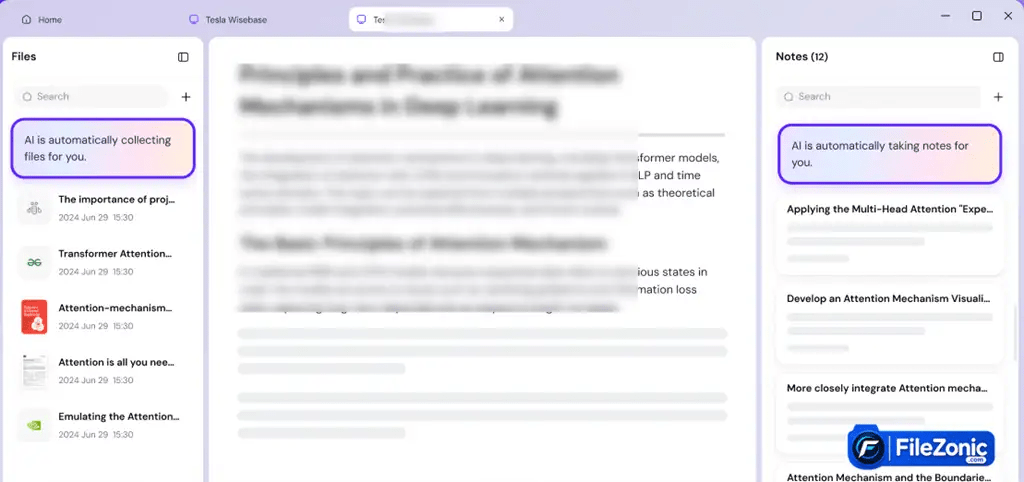
Its official extension page describes features including AI chat, page summaries, YouTube summaries, translation, OCR, writing assistance, and image tools.
This flexibility is arguably its biggest usability advantage. A user can use the Windows application for broader tasks and the Sider AI Chrome extension when working inside Chrome.
The downside is that the large number of features can make Sider feel less focused than a dedicated AI assistant. Someone who only wants a chatbot may find the collection of tools unnecessary.
Performance of the Sider AI app
Its performance depends on more than the Windows computer itself. The platform relies on online AI services, so network quality, model selection, prompt complexity, service availability, and current usage can affect response times.
The advantage of this architecture is that users do not need a high-end GPU to run the underlying AI models locally.
The Windows application provides access to cloud-based models, so users don’t need to install and run large language models on their own hardware.
The Sider AI app can nevertheless become demanding from a workflow perspective because it combines many tools in one interface.
Users who depend heavily on browser automation, image generation, video creation, and large file analysis are using substantially more cloud resources than someone simply asking short questions.
No controlled FileZonic benchmark was performed, so this review does not claim specific CPU, RAM, startup-time, or response-time measurements.
Security & Privacy of Sider.AI
Its privacy policy states that it collects account information, usage, communication, device, and analytics data.
It also says the service uses third-party providers such as Google, Cloudflare, and Microsoft for service operation, analytics, or research.
It does not sell personal information to third parties for monetary consideration. Its policy also describes security standards including encryption, access controls, firewalls, and employee training, while admitting that no security system can guarantee absolute security.
There is an important practical concern for AI tools that Sider may process Content. It depends on the selected AI capability and third-party model providers.
Users should therefore avoid submitting confidential business information, private credentials, or sensitive documents unless they have checked the applicable privacy and organizational requirements.
Its Terms of Use explicitly state that its services include the website, browser extension, mobile applications, desktop applications, and related services. The terms also say the service is not designed to comply with industry-specific regulations such as HIPAA or FISMA.
Official Sider Privacy Policy
Official Sider Terms of Use
Real-World Use Cases of Sider.ai
1.Students
Students can use this app to summarize webpages, analyze PDFs, and translate material. They can also extract text from images and compare responses from different AI models. So this can be helpful when researching a topic or collecting study material.
AI output should still be checked against reliable sources, specifically for educational work.
2. Writers and content creators
The combination of writing tools, web access, image generation, and video creation makes Sider suitable for content workflows.
A creator can research a topic, draft text, and easily generate supporting images. Also, it works on video content without jumping between several AI services.
3. Web developers
Sider Code is particularly suitable for developers and designers who want to experiment with webpage modifications using natural-language instructions. Persistent customizations can also be reused on future visits.
4. Researchers
Multi-model chat, web access, file analysis, PDF tools, and translation can help researchers process information faster.
5. Professionals
The Sider AI app can help with emails, reports, presentations, research, document analysis, and repetitive browser tasks. Its Claw agent is designed particularly for multi-step browser workflows.
6. Businesses
Businesses may find value in combining several AI capabilities under one account. But they should review Sider’s privacy terms and organizational requirements before processing sensitive information.
Sider’s Pricing Plans
Sider offers free access alongside paid subscriptions. Its current pricing page says all plans include the platform’s feature set, while higher plans provide more credits and a stronger cloud computer.
Its current payment documentation identifies the active paid levels as Lite, Pro, and Max. It says these plans include a fixed amount of monthly credits and an included Cloud Computer, with credits now forming a unified pool rather than the older Basic/Advanced/Elite system.
The exact current prices and credit quantities are displayed dynamically on its pricing page and were not exposed in the official text available for reliable verification at the time of review. Therefore,
Current exact subscription prices: Not officially specified by the developer.
Its Terms of Use grant users a limited, revocable, non-exclusive license to use the services. The terms also address generated content and state that users retain rights to use, modify, distribute, and commercialize generated content subject to the terms and applicable rights.
Who Should Use Sider.ai?
Sider AI app for Windows is a good fit for users who want several AI capabilities in one application. The app can help students with document analysis, translation, summarization, and multi-model chat.
Professionals can use its writing, research, file, and browser-automation tools. Developers and designers may find Sider Code particularly interesting because it can modify webpages using natural-language instructions.
Content creators also have a strong reason to consider this app. Because the platform integrates writing, image generation, video creation, translation, and AI research tools.
For someone who only needs a basic chatbot, however, Sider may be more feature-heavy than necessary.
Conclusion
The Sider AI app for pc has grown from a browser-focused AI sidebar into an all-around AI productivity platform. Its most potent selling point is variety.
Users can access several AI models. Also, you can combine them with browser assistance, file analysis, writing tools, image generation, video creation, translation, and automation.
The Windows application is especially useful for users who want AI available beyond a single browser tab. It also provides an EXE installation option when the Windows App Store is unavailable. Then, users can install it manually.
The platform is not perfect. Its many features can make the experience feel less focused, as detailed Windows hardware requirements are not publicly specified, and its credit-based paid plans require users to pay attention to usage.
Privacy should also be considered carefully when processing business or personal information.
Overall, Sider is best suited to users who want a multi-model AI workspace rather than a single-model chatbot. For Windows users, it offers a combination of a desktop app and browser extension. Thus, it is a flexible option for everyday AI-assisted work.


